· David Weller · 7 min read
Copilot Studio agent flows vs workflows: which should you build?
Copilot Studio agent flows, workflows, agents and Power Automate cloud flows explained: what each does, how each is billed, and which to use when.
Product names and billing checked against Microsoft Learn in October 2026. Microsoft changes Copilot Studio often, so confirm with your admin before you build.
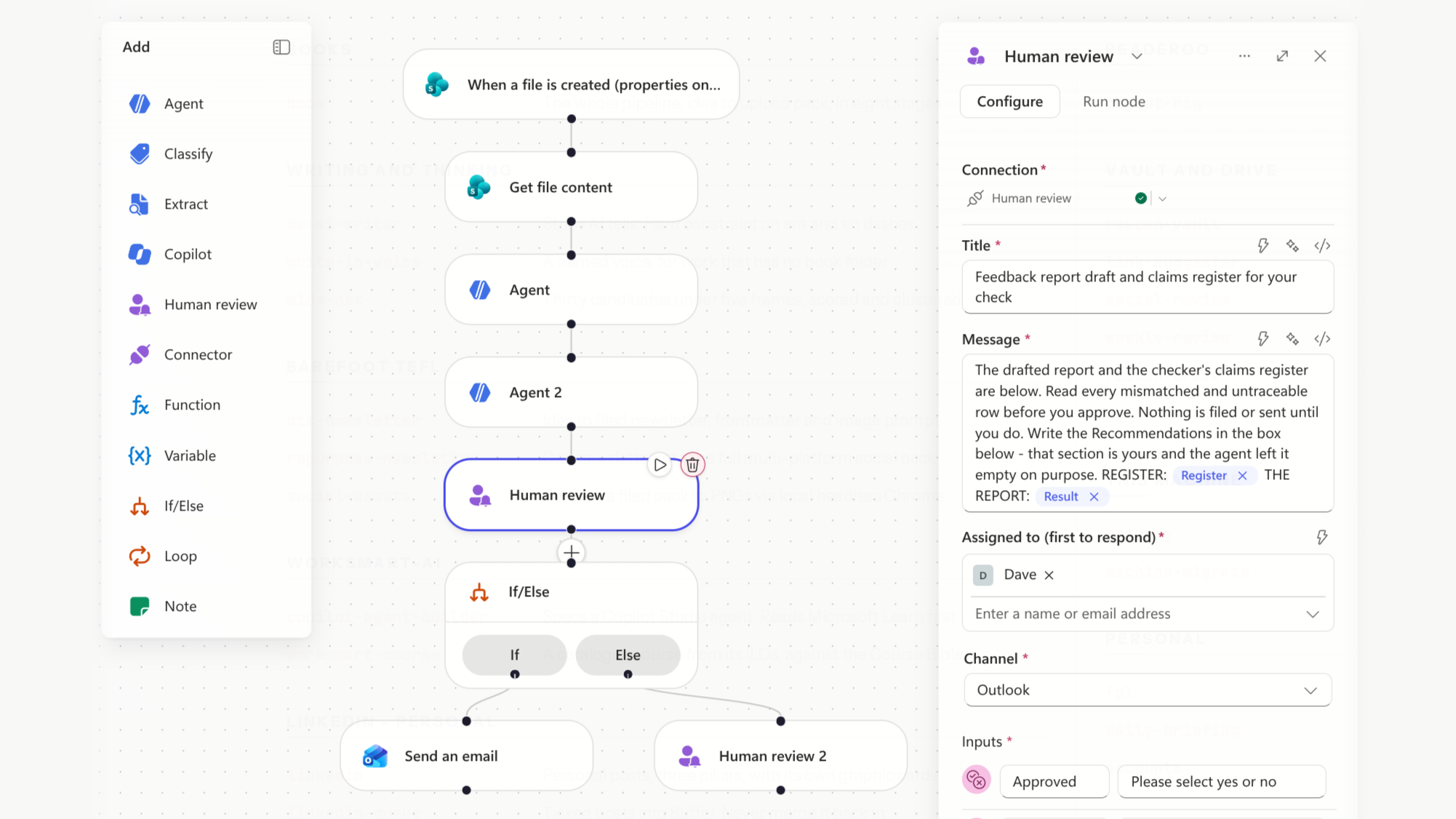
Copilot Studio agent flows, workflows, agents, and Power Automate cloud flows all automate work, and they now sit side by side in the same menus. They’re billed differently, they suit different jobs, and one choice can’t be undone. Knowing the differences before your first build saves a rebuild and an unexpected bill.
This guide explains each in plain English, gives you a decision table, and works through three examples from university and organisational admin.
What is an agent in Copilot Studio?
An agent is an AI assistant you build for a job. You give it instructions, knowledge (such as your policies on SharePoint), and tools it can use. Staff ask it questions or give it tasks, and it decides what to do next. That judgement is why its answers need checking.
What is a Copilot Studio agent flow?
An agent flow is a fixed sequence of steps: a trigger, then at least one action1. Microsoft describes agent flows as deterministic: “the same input always produces the same output”1. Actions can use connectors, approvals, loops, and AI steps such as running a prompt1.
Agent flows run on what Microsoft calls the standard harness, the runtime for rule-based agents and flows2. An agent flow with the When an agent calls the flow trigger can be added to an agent as a tool1. The agent decides when, and the flow does the job the same way every time.
What are Copilot Studio workflows?
Workflows are the newer automation builder, powered by the GitHub Copilot harness3. Despite the name, this is a Copilot Studio runtime, not the GitHub Copilot service, and your data isn’t sent to GitHub2. Workflows also follow a trigger-and-actions path, but on a redesigned canvas with native AI actions, agent handoffs, and step-by-step testing3.
The harness is the real difference. The GitHub Copilot harness is built for reasoning-heavy, multi-step processes. It can create and edit Word, Excel, PowerPoint, and PDF files, supports skills and memory, and retries when a step fails2. The standard harness follows the paths you’ve built2. Pick the harness before you build, because it sets both what you can do and how you’re billed.
What about Power Automate cloud flows?
Power Automate cloud flows are the automations many organisations already run. They use Power Automate licensing, not Copilot Credits, and sit outside Copilot Studio billing entirely4. You can convert a cloud flow into an agent flow, which moves its cost onto your Copilot Studio capacity. That conversion is one-way and can’t be reversed1. You can’t convert a cloud flow into a workflow at all1.
When to use an agent vs a flow: a decision table
| If the job… | Build | How it’s billed |
|---|---|---|
| Follows fixed rules and already works in Power Automate | Leave it as a Power Automate cloud flow | Power Automate licensing4 |
| Follows fixed rules and an agent needs to call it | Agent flow | 13 Copilot Credits per 100 actions after publishing; testing is free4 |
| Needs to read files, reason across several steps, or recover from failures | Workflow (GitHub Copilot harness) | Credits from the moment you start building, varying by task5 |
| Needs to answer questions or decide what to do next | Agent, with flows as its tools | Credits per answer or action; licensed staff usually aren’t charged4 |
One billing detail decides a lot of builds. When a member of staff with a Microsoft 365 Copilot licence starts an agent flow by asking the agent, using the When an agent calls the flow trigger, there’s no charge4. The same flow on a schedule or an email trigger is charged at the standard rate4. Workflows bill from the first test, before anything is published5.
What a credit costs in pounds, and how to set spending caps, is covered in our guide to Microsoft 365 Copilot licensing for universities.
Three worked examples from university admin
Triaging an enquiries inbox
A shared inbox gets admissions, fees, and timetable questions. If the rules are simple (anything from the payments system goes to finance), a Power Automate cloud flow already does this, at no Copilot cost.
If the emails need reading for meaning, build a workflow. An AI step sorts each email by topic and drafts a reply from your published guidance, and a member of staff checks every draft before it’s sent. Pilot it on one mailbox under a spending cap.
Extenuating circumstances requests
Students ask the same questions every term: what counts, what evidence is needed, and the deadline. An agent grounded in your policy pages can answer those. When a student is ready to submit, the agent calls an agent flow that logs the request in the case list and emails the student a reference number.
The decision stays with the panel. This is sensitive personal data, so check your AI and data protection policies before you build, and keep the AI to answering questions and logging cases.
Onboarding checklists
New starters need accounts requested, a welcome email, and reminders at week one and month one. That’s a fixed schedule with no judgement, so an agent flow or a cloud flow fits. Because it runs on a schedule rather than from an agent, an agent flow is charged at the standard rate even for licensed staff4. If you already run it in Power Automate, leave it there. A small agent grounded in your staff handbook can answer new starters’ questions.
Start small, and build where it pays
The common mistake is building everything as an agent because agents are new. Most admin processes are fixed steps with one or two judgement calls, so use flows for the steps and AI only where judgement is needed. If your staff are still building reliable prompting habits, start there: our AI Use Hierarchy explains why agents and workflows sit at Level 4. If you’re still working out which Copilot your staff have, read Copilot Chat vs Microsoft 365 Copilot, and for the wider plan, see how to implement AI at your university.
Build agents with us, or learn to build your own
Our Building Custom AI Agents course teaches staff to design and build Copilot agents for their own work, built around your policy and Microsoft 365 setup.
We’re also developing Built for You. We’ll help departments and senior leaders identify their critical AI workflows, map the process, and build Copilot agents and workflows, or support your leaders to build their own. We then train staff to hand work off to them and collect it back. Pricing is on application.
Not sure where to start? Our free AI Capability Check is a 30-minute call over Teams or Zoom, with no obligation. We’ll place your team on the AI Use Hierarchy, give you two or three prioritised next steps, and send you a written report to keep. To estimate the time at stake first, try the AI Savings Calculator.
Book your free AI Capability Check
Frequently asked questions
What is the difference between an agent flow and a Power Automate flow? An agent flow is managed in Copilot Studio and billed in Copilot Credits. A Power Automate cloud flow uses Power Automate licensing4. Converting a cloud flow to an agent flow can’t be reversed1.
Are agent flows free? Building and testing are free. Published runs cost 13 Copilot Credits per 100 actions, with no charge when a Microsoft 365 Copilot licensed user starts the flow through an agent4.
What is the difference between agent flows and workflows in Copilot Studio? Agent flows run on the standard harness and bill after publishing. Workflows run on the GitHub Copilot harness, handle files and multi-step reasoning, and bill from the moment you start building25.
Can I turn a Power Automate flow into a Copilot Studio workflow? No. A cloud flow can only be converted to an agent flow, and that conversion is permanent1.
Footnotes
Microsoft Learn, “Agent flows overview - Microsoft Copilot Studio”. https://learn.microsoft.com/en-us/microsoft-copilot-studio/flows-overview ↩ ↩2 ↩3 ↩4 ↩5 ↩6 ↩7 ↩8
Microsoft Learn, “Harnesses in Copilot Studio”. https://learn.microsoft.com/en-us/microsoft-copilot-studio/harnesses-overview ↩ ↩2 ↩3 ↩4 ↩5
Microsoft Learn, “Workflows overview (GitHub Copilot) - Microsoft Copilot Studio”. https://learn.microsoft.com/en-us/microsoft-copilot-studio/workflows-experience/flows-overview ↩ ↩2
Microsoft Learn, “Billing rates and management - Microsoft Copilot Studio”. https://learn.microsoft.com/en-us/microsoft-copilot-studio/requirements-messages-management ↩ ↩2 ↩3 ↩4 ↩5 ↩6 ↩7 ↩8 ↩9
Microsoft Learn, “Overview of usage-based billing - Microsoft Copilot Studio”. https://learn.microsoft.com/en-us/microsoft-copilot-studio/agents-experience/billing-credit-overview ↩ ↩2 ↩3